

Monitor Your Elker Batteries With Ease
The Elker Solutions app provides real-time monitoring and comprehensive management for all your Elker battery systems through a simple Bluetooth connection.

App Features
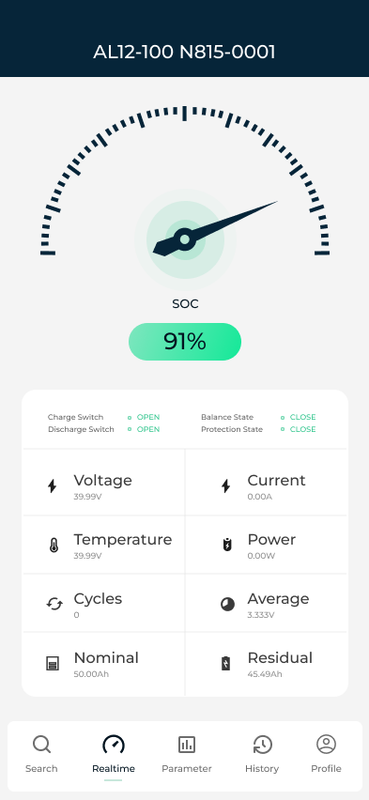
Real-Time Monitoring
Observe real-time battery charge levels with precise percentage indicators and usage estimates through an intuitive dashboard.
Temperature Monitoring
Track battery temperature to ensure optimal performance and prevent overheating issues.
Performance Analytics
Access detailed reports on battery performance, usage patterns, and efficiency over time.
Cycle Count Tracking
Check how many charge cycles your battery has completed to understand its lifespan and performance.
Average Cell Voltage
Monitor the average voltage across all cells to ensure balanced performance and identify potential issues.
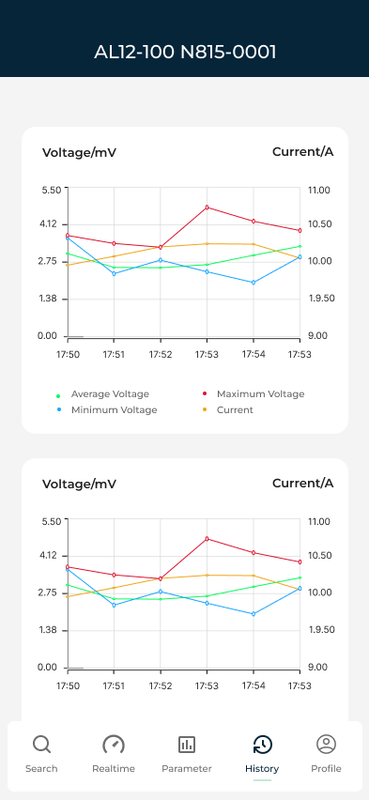
History Graph Visualization
View historical performance data with interactive graphs for trend analysis and battery health assessment.
Getting Started
Download the App
Install Elker Solutions from the App Store or Google Play Store using the links above.
Enable Bluetooth
Ensure Bluetooth is enabled on your device and you're within range of your Elker battery system.
Connect Your Battery
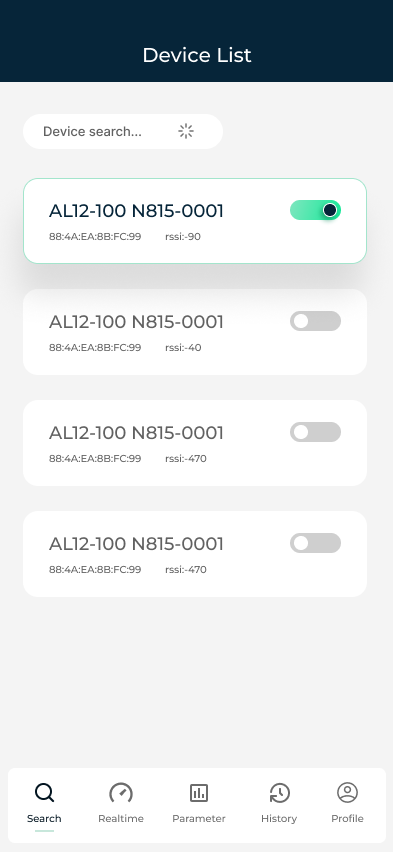
Open the app and follow the on-screen instructions to scan for and connect to your Elker battery.
Monitor Performance
Once connected, you'll see the dashboard with real-time information about your battery's status and health.
Configure Settings
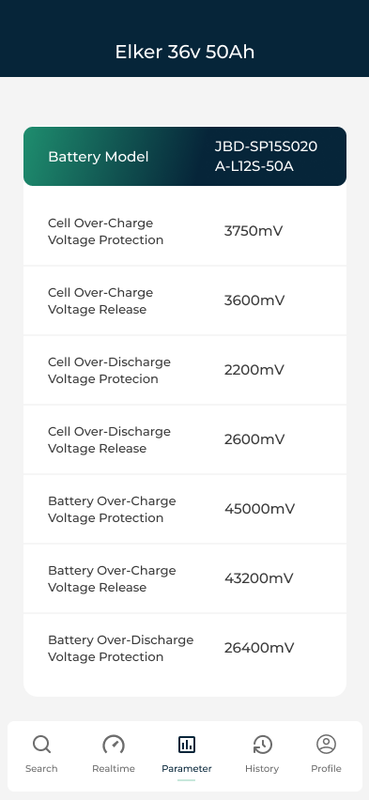
Customize alert thresholds, notification preferences, and reporting options through the settings menu.
